 Product logo
Use local speech models to dictate into Mac or Windows apps, with optional context-aware formatting.
Provider-checked pricing
AI TOOL DETAILS
Oats is a meeting notetaker for people who want transcripts and Markdown summaries without inviting a bot to the call. Its README documents both on-device offline processing and a free cloud option; sharing through the provider service is distinct from local use.

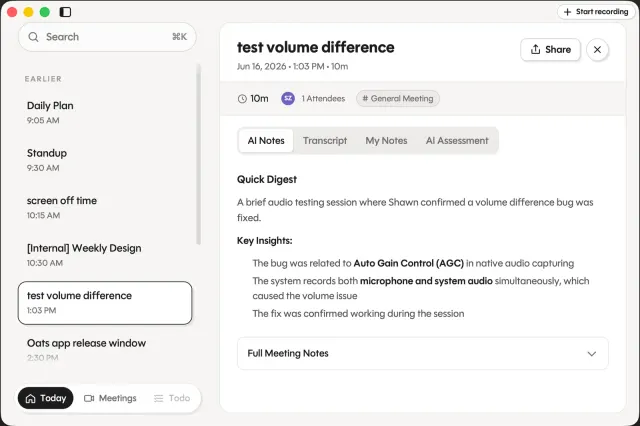
The listed option is free to use. Hosting or model usage may still cost money.
The MIT app README describes local recording, transcription, speaker labels and summaries as offline and free, and describes a free Ariso cloud option that requires sign-in. The displayed cloud option is provider-hosted; review current data handling and limits before using it. Model weights and hardware are separate. Application license: MIT. This does not grant the license for separately downloaded model weights; check a model's license and compatibility independently.
Provider pricing checked 3 Nov 2026.
The application license does not automatically license separately downloaded speech or transcription model weights. Check the selected model’s own source and terms, supported runtime, storage needs and hardware before use; hosted options can have separate costs and limits.
Follow the publisher’s current installation or quickstart guide for the edition and device you want to use. Tool-specific installation steps have not yet been checked by AltStack.
No one-line command has been verified for Oats; follow its official installation instructions instead of guessing a Docker image or installer.
Oats provider setup documentationRead the repository for the license, installation steps, and operating costs.
Source repositoryView the full software profileRead a practical guide before choosing a plan or setting up a workflow.
How to choose an AI tool without paying too soonThis preference stays on your device. It does not change public rankings.
Product logoUse local speech models to dictate into Mac or Windows apps, with optional context-aware formatting.
Provider-checked pricing

Record meetings and keep notes and transcripts locally.
Provider-checked pricing
 Product logo
Turn recordings into written text.
Check current pricing
Allow Google Analytics to measure page visits and basic device information using cookies? Your searches and form entries are excluded. You can change this choice at any time. Privacy details.