


Create and edit images, generate video, and arrange 3D scenes in an open-source creative studio. An alternative for selected Adobe creative tasks; AI generation may cost extra.
Provider-checked pricing
AI TOOL DETAILS
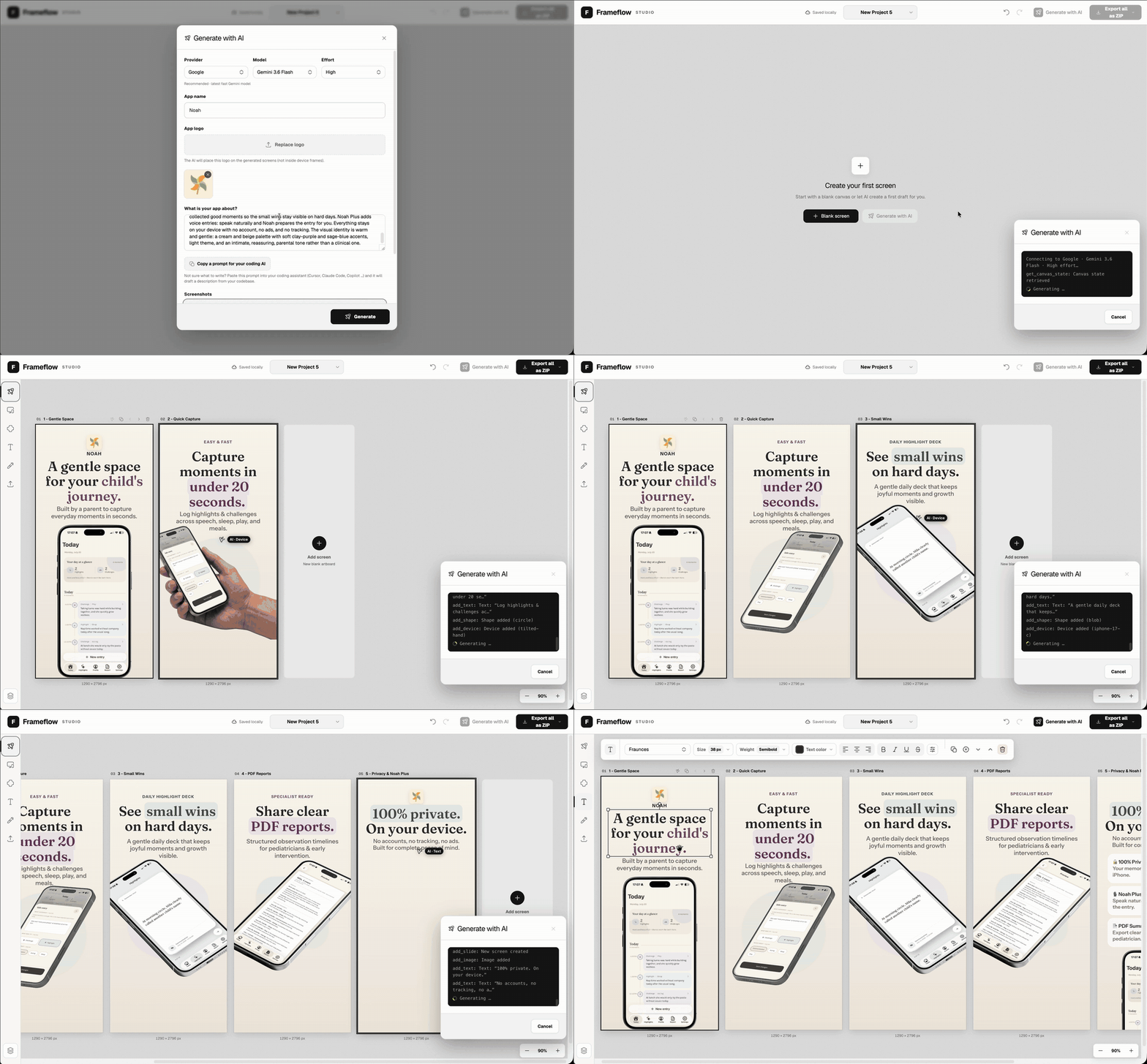
Design editable multi-screen App Store screenshot layouts in a browser; optional AI edits the same canvas elements instead of returning a flattened image. Projects stay in local browser storage.
The listed option is free to use. Hosting or model usage may still cost money.
The MIT editor has no required subscription for ordinary manual design and stores projects in browser IndexedDB. AI features connect a Codex app/CLI login or your chosen provider key; provider subscriptions, API costs, limits and model terms are separate. Export important projects before clearing browser storage.
Provider pricing checked 31 Oct 2026.
Follow the publisher’s current installation or quickstart guide for the edition and device you want to use. Tool-specific installation steps have not yet been checked by AltStack.
No one-line command has been verified for Shotluma; follow its official installation instructions instead of guessing a Docker image or installer.
Shotluma provider setup documentationRead the repository for the license, installation steps, and operating costs.
Source repositoryView the full software profileRead a practical guide before choosing a plan or setting up a workflow.
Choose an AI image tool for your actual design taskThis preference stays on your device. It does not change public rankings.
Create and edit images, generate video, and arrange 3D scenes in an open-source creative studio. An alternative for selected Adobe creative tasks; AI generation may cost extra.
Provider-checked pricing
 Product logo
Listed for image editing. Open the tool website to see its current features.
Check current pricing
 Product logo
Create pictures from a text description.
Check current pricing
Allow Google Analytics to measure page visits and basic device information using cookies? Your searches and form entries are excluded. You can change this choice at any time. Privacy details.