
 Product logo
Ask questions, brainstorm ideas, and get help with everyday tasks.
Provider-checked pricing
AI TOOL DETAILS
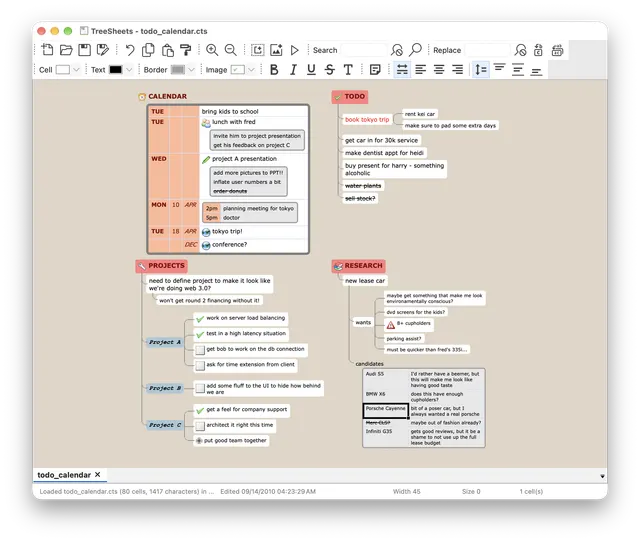
Organize nested-grid documents locally, with an optional token-authenticated connection that lets an external AI agent inspect and script the open document.
The listed option is free to use. Hosting or model usage may still cost money.
TreeSheets is free Zlib-licensed desktop software. You supply the computer, storage and backups. Its optional local agent socket is off by default; connecting an external AI assistant has that provider’s own account, model and service terms and can cost separately. The application does not include a paid-model allowance or a managed team workspace.
Provider pricing checked 28 Oct 2026.
A hierarchical organizer, not an Excel workbook or Visio file compatibility claim. Verify any formula, import/export and collaboration requirements before moving data. These are provider-documented starting steps; AltStack did not install or execute the application.
No one-line command has been verified for TreeSheets; follow its official installation instructions instead of guessing a Docker image or installer.
TreeSheets provider setup documentationRead the repository for the license, installation steps, and operating costs.
Source repositoryView the full software profileRead a practical guide before choosing a plan or setting up a workflow.
AI agents and automation: start with one useful workflowThis preference stays on your device. It does not change public rankings.
Product logoAsk questions, brainstorm ideas, and get help with everyday tasks.
Provider-checked pricing
Explore additional tools listed by the reference directory.
Provider-checked pricing
 Product logo
Get help studying, taking notes, and understanding a topic.
Provider-checked pricing
Allow Google Analytics to measure page visits and basic device information using cookies? Your searches and form entries are excluded. You can change this choice at any time. Privacy details.
