
Allow Google Analytics to measure page visits and basic device information using cookies? Your searches and form entries are excluded. You can change this choice at any time. Privacy details.
Loading this page…
Scheduling Event Management
Fossify Calendar
Android
Platform information checked 2026-10-19. The F-Droid calendar is free and works without a Fossify account or a Fossify sync subscription. The separate paid Thank You app funds Fossify and adds customization/shared settings to supported apps. Calendar synchronization uses accounts or calendar providers already configured on the device; Fossify does not run a sync service. Those services can have their own costs. This replaces event planning, reminders and calendar views rather than every Business Calendar 2 Pro feature.
Use the publisher’s linked store or documented APK channel. AltStack does not host APK files. A player or independent client does not grant access to paid subscription content.
Keep events, recurring reminders and calendar widgets on your Android phone.
Free calendar · optional supporter extras
The F-Droid calendar is free and works without a Fossify account or a Fossify sync subscription. The separate paid Thank You app funds Fossify and adds customization/shared settings to supported apps. Calendar synchronization uses accounts or calendar providers already configured on the device; Fossify does not run a sync service. Those services can have their own costs. This replaces event planning, reminders and calendar views rather than every Business Calendar 2 Pro feature.
Fossify CalendarProduct logo · See the interface on the official website
Fossify Calendar · product logo
About Fossify Calendar
Plan recurring events and reminders on Android with local calendar views, import/export and home-screen widgets. Visit the project website to check the currently available deployment options.
Release status
Official distribution and installation documentation reviewed. AltStack did not install or execute the application.
Install on your phone or supported device · Instructions checked 2026-10-19
Use the official Fossify Calendar app page to open its F-Droid listing. Confirm package org.fossify.calendar and a compatible Android version; the current F-Droid build requires Android 8.0 or newer.
Install through the F-Droid client and open Fossify Calendar. Allow calendar access and reminder-related permissions for the functions you choose to use.
Use the local calendar views for events and reminders. To synchronize, configure an Android calendar account/provider separately; Fossify Calendar has no Internet permission and does not supply a sync server.
Keep using the selected store for updates. When switching between Play and F-Droid, back up app data and choose the same or newer version as documented by Fossify.
The F-Droid calendar is free and works without a Fossify account or a Fossify sync subscription. The separate paid Thank You app funds Fossify and adds customization/shared settings to supported apps. Calendar synchronization uses accounts or calendar providers already configured on the device; Fossify does not run a sync service. Those services can have their own costs. This replaces event planning, reminders and calendar views rather than every Business Calendar 2 Pro feature. Installation was source-reviewed, not executed by AltStack.
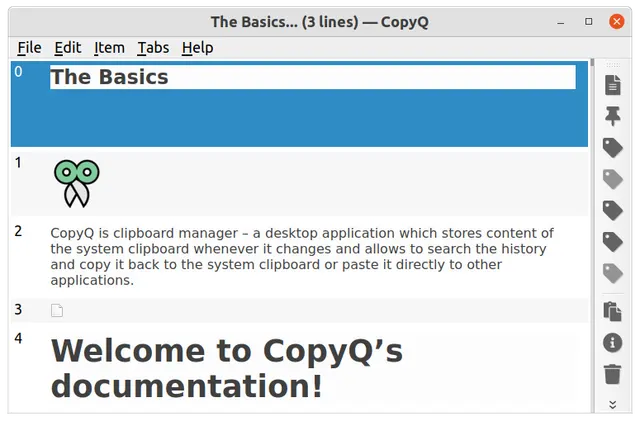
Search, edit and reuse a local clipboard history with optional tabs and automation.
CopyQ is GPL-3.0-or-later desktop software with free official packages and no required subscription. Clipboard history is stored unencrypted by default unless its encryption feature is enabled. Built-in recognized secret markers are ignored by default, but this is not a guarantee that every application marks secrets correctly. It does not provide Paste’s iCloud/iPhone workflow or a password vault.
Handle calculations and common unit conversions in one Android app.
The provider describes Unitto as free, with no ads, in-app purchases or analytics. Ordinary calculations and unit conversion run locally; currency conversion needs Internet access. The GPL-3.0 source and usable F-Droid edition are available. The browser version is alpha, has limited language/theming support and loses user data on reload. This is a calculator/converter alternative for part of a WolframAlpha workflow; it does not include WolframAlpha’s knowledge database, cloud symbolic engine or every guided Pro solution. The alpha web build includes additional GPL-2.0 and MIT components with separate provider notices; the Android edition is the free app reviewed here.