
Stackshot logo

Screenshot Utilities

Stackshot

A Windows screenshot and screen-recording tool with a quick editor, local OCR, and no required account.

Free MIT Windows capture and recording app.

The project describes the Windows application as free, local, and without telemetry. Video workflows may need FFmpeg. This is a Windows capture tool, not a macOS app or a hosted media service.

Pricing checked .

Check official pricing
18Repository stars
5Forks
MITLicense
RecentlyLast commit
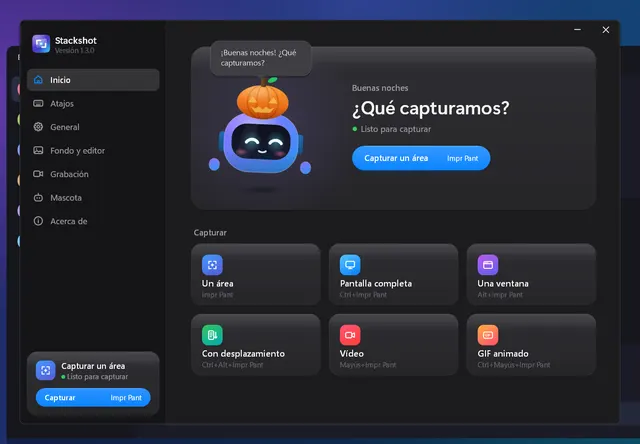
Stackshot product interface
Stackshot · Project Windows screenshot in Spanish; sample UI is not an AltStack installation.
Product image: Rubén Martínez and Stackshot contributors · MIT · Original image; layout scaled to fit. Project Windows screenshot in Spanish; sample UI is not an AltStack installation. Full notice.Logo: Rubén Martínez and Stackshot contributors · MIT · Original image; layout scaled to fit. Provider asset identifies stackshot; no endorsement is implied. Full notice.

About Stackshot

A Windows screenshot and screen-recording tool with a quick editor, local OCR, and no required account. Visit the project website to check the currently available deployment options.

Release status

Official README and source license checked on 2026-11-01. This entry describes the source application; optional hosting, providers, and service costs are stated separately. AltStack did not execute project code or installers.

Availability checked 1 Nov 2026. Check the provider’s release or installation information

Installation and setup

Install on your computer · Instructions checked 2026-11-01

  1. Use the official README/release page to confirm Windows requirements and install the signed project package available for your system.
  2. Make a short test screenshot or recording and check where the application saves it.
  3. Install FFmpeg only if the video workflow you want requires it, following its official documentation.
  4. Keep sensitive screen content out of captures before sharing; the project describes processing as local.

The MIT Windows app is free and does not require an account. Video tasks may need FFmpeg; storage and hardware are separate.

Self-hosting & quickstart specs

License
MIT
Deployment
Local desktop application
Free edition / costs
Free MIT Windows capture and recording app.. The project describes the Windows application as free, local, and without telemetry. Video workflows may need FFmpeg. This is a Windows capture tool, not a macOS app or a hosted media service. Pricing evidence.
Devices / hardware
The MIT Windows app is free and does not require an account. Video tasks may need FFmpeg; storage and hardware are separate.

No one-line command has been verified for Stackshot; follow its official installation instructions instead of guessing a Docker image or installer.

Stackshot provider setup documentation

Explore the project

Technology stack

Technologies recorded in the catalog snapshot.

Tags

Related projects

scrcpy logoscrcpyProduct logo · See the interface on the official website
Free Android mirroring

WindowsmacOSLinux

Mirror and control your Android device from a computer over USB or a configured network.

scrcpy is Apache-2.0 software with no paid mirroring tier or account requirement. You supply a compatible Android device, a computer and connection. USB screen mirroring requires Android 5.0+ and USB debugging; audio forwarding requires Android 11+. It does not unlock DRM-protected video, paid streaming catalogs or iOS support. Only the official Genymobile repository distributes this project.

152kstars—30 daysApache-2.0
USE INSTEAD OF
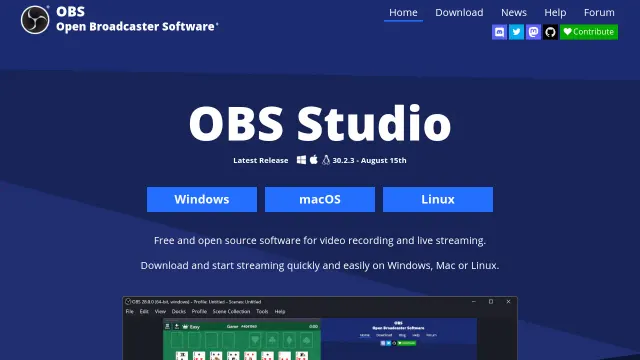
OBS Studio product interface
Free source edition · setup/hosting costs

Free, open-source software for video recording and live streaming.

The OBS Studio repository edition is available under GPL with documented installation or build instructions and no required source-license subscription. Build/setup work, your device or compute and storage remain your costs. This check covers that source edition; managed services, premium extensions and commercial relicensing, if offered, are not included or price-verified.

77kstars+ 1.2k30 daysGPL-2.0
USE INSTEAD OF
ShareX product interface
Free source edition · setup/hosting costs

Powerful screen capture and file sharing tool for Windows.

The ShareX repository edition is available under GPL with documented installation or build instructions and no required source-license subscription. Build/setup work, your device or compute and storage remain your costs. This check covers that source edition; managed services, premium extensions and commercial relicensing, if offered, are not included or price-verified.

40kstars+ 46030 daysGPL-3.0
USE INSTEAD OF
Flameshot logoFlameshotProduct logo · See the interface on the official website
Free desktop screenshot tool

WindowsmacOSLinux

Capture a screen region and add arrows, highlights, text or pixelation before saving locally.

The provider offers free open-source screenshot software. This covers local capture and annotation; your device and storage are separate. Optional uploads and external services have their own terms and costs; no paid recording or cloud allowance is established.

31kstars—30 daysGPL-3.0
USE INSTEAD OF
ScreenToGif product interface
Free Windows recorder and GIF editor

Windows

Record a short screen region, webcam clip or sketchboard, then edit frames and export a GIF, APNG or video on Windows.

Free short-clip recording; Windows only

28kstars—30 daysMS-PL
USE INSTEAD OF
Cap product interface
Free personal use · paid commercial/cloud plans

Screen recorder with instant sharing and a built-in editor.

Provider distribution is free for personal use with unlimited local recording time. Desktop commercial rights cost USD 29/user/year or USD 58 once; Cap Pro cloud is USD 12/user/month or USD 8.16/month billed annually. Optional SAML/BAA add-ons cost separately. Repository licensing is component-specific AGPLv3/MIT; publisher commercial-license offers are separate from those source rights.

23kstars+ 1.1k30 daysAGPL-3.0
USE INSTEAD OF

Optional site analytics

Allow Google Analytics to measure page visits and basic device information using cookies? Your searches and form entries are excluded. You can change this choice at any time. Privacy details.